From BIM to verified asset
The only platform that ingests BIM, geolocates it on Earth, and verifies it against as-built reality—creating a defensible digital twin.
Model in authoring software
Designers keep using the native BIM environment they trust. No exports, no file conversions, no extra steps.
Send your model via Speckle
Speckle handles the data transfer. You simply choose your Keyframe project stream and hit Send. Your model is instantly available in Keyframe.
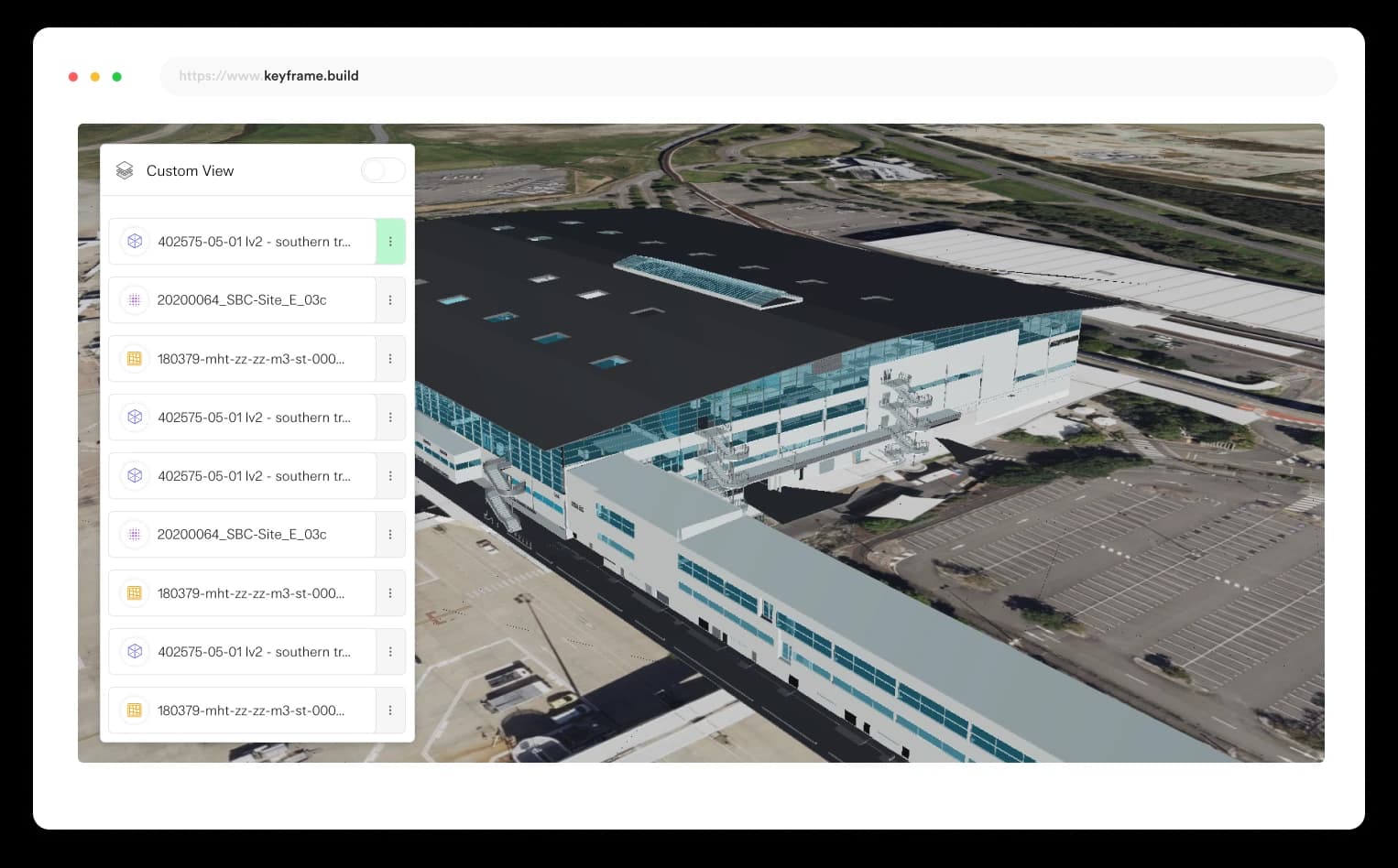
Your model appears geolocated on the real world
Keyframe automatically positions your design model on Earth, not floating in space. The correct project coordinates are applied on ingestion, creating a real-world digital twin.
Run Progressive As-Built Verification
Compare design vs as-built LiDAR, check tolerances and compliance, track progress monthly, and generate evidence for QA, assurance and commercial claims.
Unified viewer & verification engine
The core capabilities that transform fragmented data into verified, defensible assets.
Unified Viewer
See the real asset in verified, geolocated 3D—not fragmented drawings and markups. Every stakeholder works from the same spatial truth.
Golden Thread Engine
Every asset becomes defensible truth, not assumptions. Link documents, specifications, and compliance records to precise spatial locations.
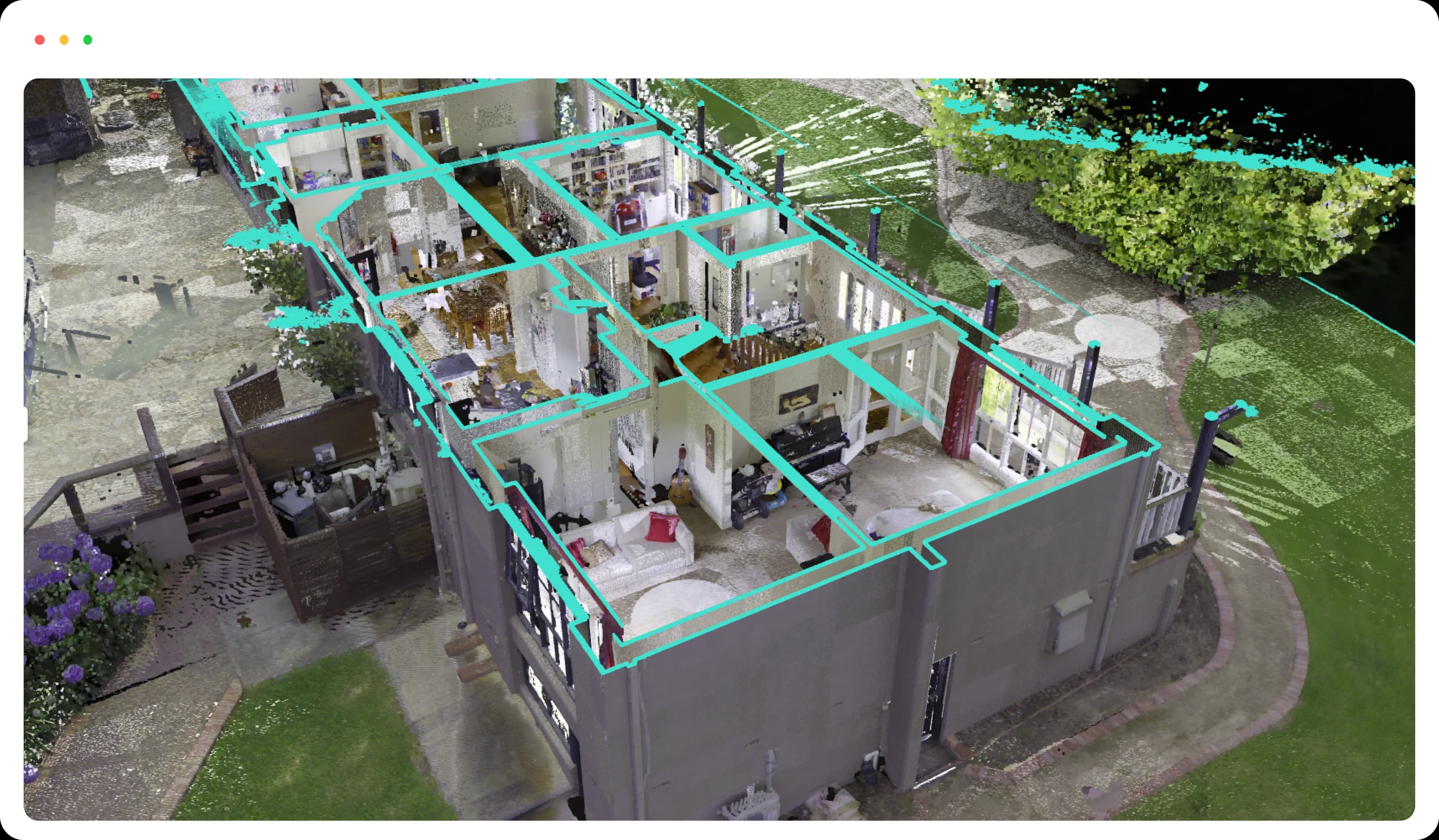
Reality Capture & As-Built Verification
LiDAR and photogrammetry form a real-world 3D representation of the asset. Compare designed intent against actual construction.

Seamless integrations
Built on industry-leading platforms and standards

- Publish models directly from popular authoring tools using Speckle's connectors, enabling consistent and efficient exchange of design information.

- Deliver large-scale 3D content with 3D Tiles, optimized for fast streaming and level-of-detail rendering in geospatial context.
The technical details
Federated data without the hassle
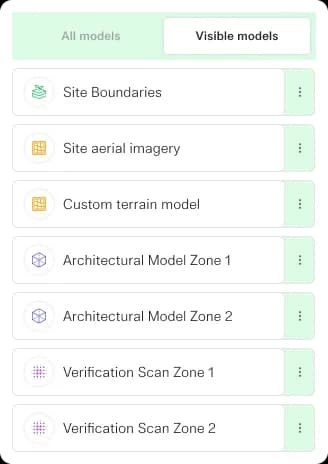
A simpler way to bring all your data together. Import BIM models, GIS, point clouds and panoramic imagery in a few clicks, all visualised in the right location using your custom CRS.
All your data in one place
Keyframe supports a vast range of data types and formats so you can view all kinds of captured data in one place.
BIM Models
- Upload ifc, obj or fbx models natively or use our Speckle integration to bring in data from your favourite authoring tools like Revit, Telka BIM and MicroStation.
Pointclouds & Panoramic Imagery
- Upload your las, laz, e57 and pts files directly to Keyframe to view large pointcloud datasets and associated reality capture panoramic imagery with ease.
Geospatial Vector / GIS
- Natively upload esri shape files or GeoJson to visualise vector data.
Raster Imagery / Terrain
- Overlay GeoTIFF and TIFF data as custom raster imagery or as custom raster terrain.
Geospatial accuracy
No matter what coordinate systems your project uses, Keyframe will always display your data in the correct location—ensuring precise, reliable geospatial transformations so you can trust your measurements, every time.
Projected Coordinate Systems
- Keyframe supports all major projected coordinate systems, so your survey data always aligns accurately—no matter the map projection.
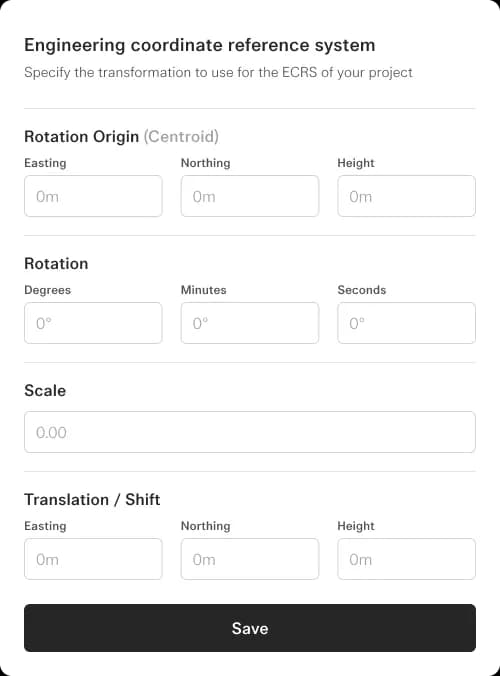
Engineering Coordinate Systems
- Define custom engineering coordinate systems with ease. Keyframe ensures your data stays precise and consistent from fieldwork to final deliverables.
Ready to transform your BIM workflow?
See how Keyframe creates verified digital twins from your existing BIM models.